Introduction
As part of your onboarding to the Ingram Micro Unified Support - AWS Program, it's essential to deploy a CloudFormation stack in your AWS account. This stack enables Ingram Micro to provide secure, compliant, and effective support services tailored to your AWS environment. This article explains the purpose of the stack, why it's required, and how to deploy it correctly to ensure uninterrupted support.
Why Do I Need to Deploy the CloudFormation Stack?
Deploying the CloudFormation stack is a mandatory step to activate your Ingram Micro Unified Support benefits. The stack sets up the necessary IAM roles and permissions that allow Ingram Micro to securely access your AWS account for support purposes.
Without this stack:
Ingram Micro cannot access your account to provide support.
Support requests may be delayed or blocked.
Your account may not meet the AWS requirements for Ingram Micro Unified Support.
By deploying the stack, you ensure:
A seamless support experience.
Compliance with AWS operational and security standards.
Faster resolution of support cases.
Process
Access the AWS Console: Amazon Web Services Sign-In
Enter your credentials, including your 12-digit AWS Account ID, IAM username, and password.
After successfully logging into the AWS Console, please paste the following URL into your browser: https://console.aws.amazon.com/cloudformation/home?region=us-east-1#/stacks/quickcreate?templateURL=https://ingrammicro-awspls-artifactfiles.s3.us-east-1.amazonaws.com/IngramMicroPLSRoles.yml&stackName=IngramMicroPLSRolesStack
Users who are logged in will be presented with the following page:
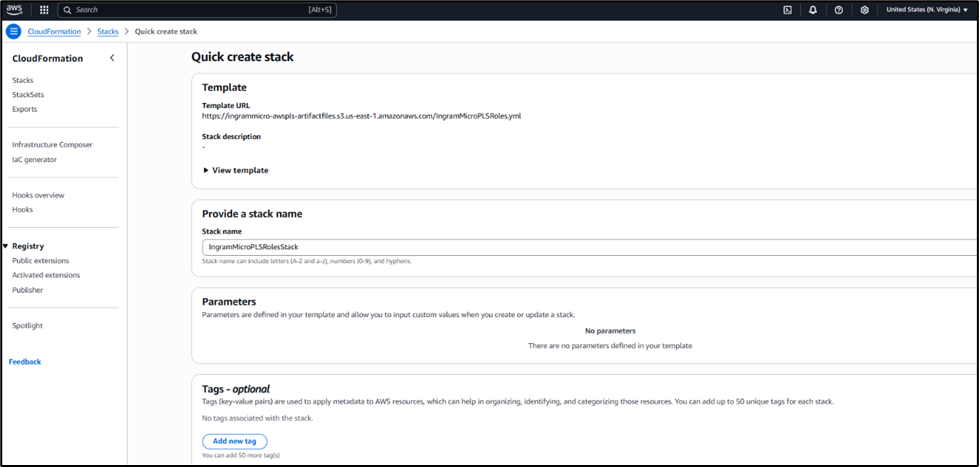
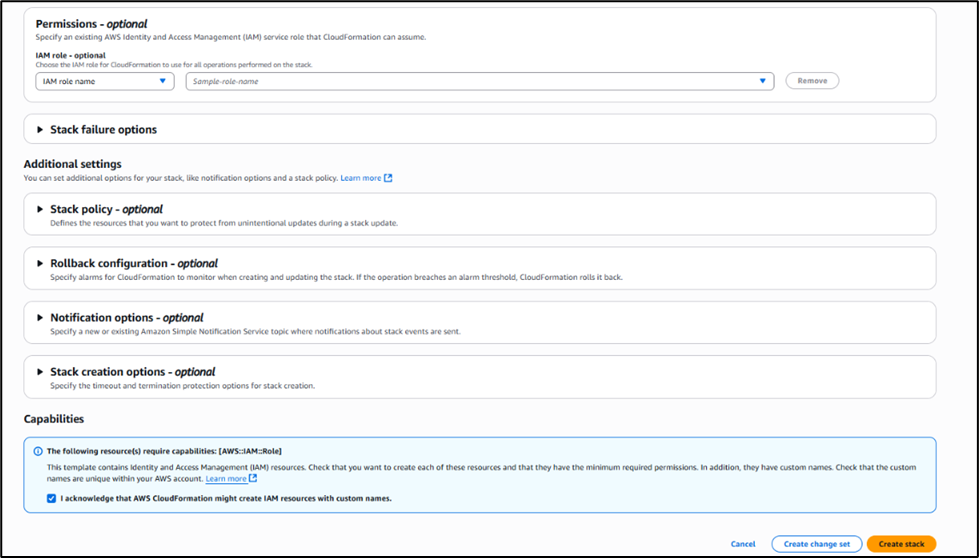
Scroll down to the Capabilities section and check the “I acknowledge that AWS CloudFormation might create IAM resources with custom names.” (Please be advised: Do not make any modifications on this page)
Click on "Create Stack" located in the bottom right-hand corner.
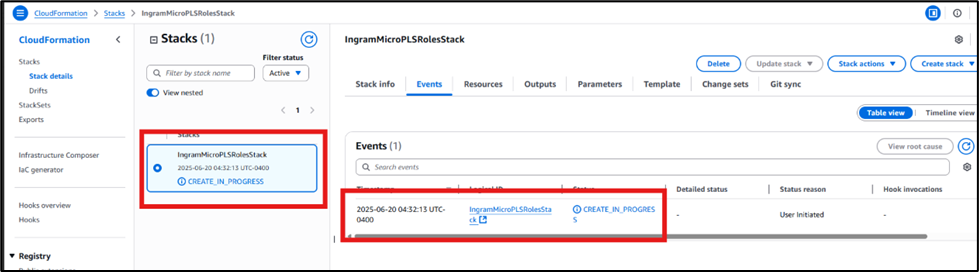
Once Stack is created, you will see this:
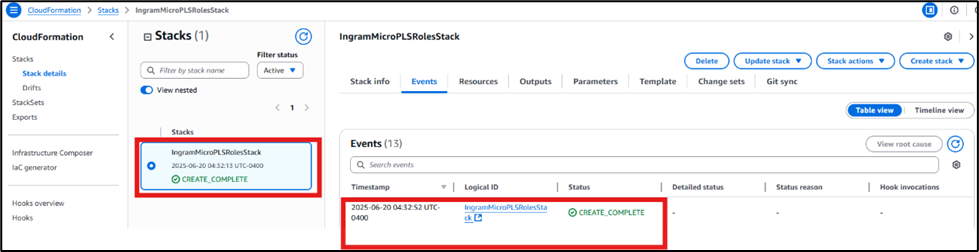
Please be advised:
In order to enhance the protection of our partners and customer base, and to align with the best practices established by AWS, Ingram Micro is implementing new Stack requests directed towards end customers. It is imperative that the stack is created using the prescribed method to ensure comprehensive support for our customers. Should the setup deviate from our guidelines, we will not have the necessary access to the account and, regrettably, will be unable to provide assistance, despite our willingness to help.
How to create Stack with AWS CloudFormation.pdf